Learn PCB Design at WPI
Project-oriented hardware design course
Why This Course Exists
WPI's curriculum, while project-focused, leaves a gap in practical hardware design skills. Many students graduate without the ability to design and build personal projects.
Goals
- Augment WPI's curriculum with practical hardware design skills.
- Instill careful, elegant, and thoughtful design methodology.
- Give you the skills and inspiration to embark on your own projects.
Approach
Instead of teaching scientific or rigorous PCB design methods, we focus on teaching a hands-on, design-driven methodology. We hope students will take this knowledge and apply it to their own projects.
Content
As part of the course, students layout and route a PCB using a schematic we provide. The design contains a popular Arduino compatible microcontroller along with up to 30 RGB LEDs. Students are given this validated design, and are encouraged to add on their own custom peripherals with the help of our instructors and TAs.
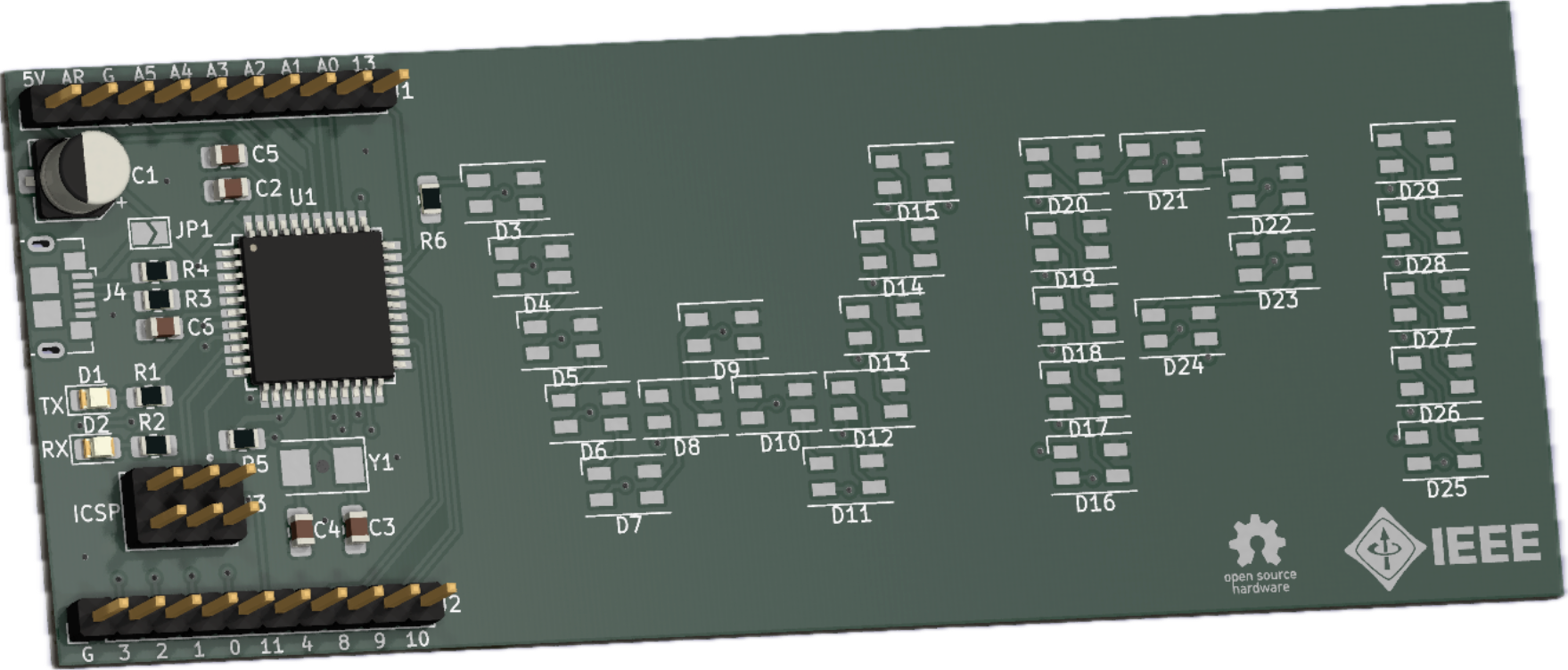
We've developed rich materials for students, including detailed lecture slides, lecture recordings, starter board and code files. After attending four lectures, students are given a starter board file and have two weeks to design their boards. We offer office hours for students to receive help. Afterwards, we manufacture student boards and students assemble their boards, completely for free.
Lecture Slides
Lecture 1: Introduction to PCB Design
PCB structure, design, and manufacturing.
Lecture 2: Project Design
Researching and designing a personal project.
Lecture 3: Layout + Routing
Design methodology for component layout and routing.
Lecture 4: KiCad
How to use KiCad as a design tool, plus a basic exercise.
Get KiCad
KiCad is the free, open-source tool we design in. Install it before the first lecture.
Download KiCadFollow a guide
Step-by-step walkthroughs for the things you will actually do in KiCad.
Browse guidesSessions & office hours
Stuck on a footprint or a DRC error? Bring it to us in person.
See the schedule